
Part 5 - LOB data
A VARCHAR(MAX) value can be anything from one character to 2 GB, so where it is stored depends on its size. In this part we'll follow a value through its three possible homes:
- On page - stored in the row like a normal
VARCHAR - Off page - moved to a LOB page, with a pointer left in the row
- Off page, split - spread across multiple LOB pages organised as a tree
This part continues in the InternalsViewerTutorial database from the earlier parts.
Step 1 - Create the table
Create a table with a VARCHAR(MAX) column and insert three rows that land in three different places:
CREATE TABLE dbo.LobTable
(
    Id       INT          NOT NULL
   ,LobField VARCHAR(MAX) NOT NULL
)
GO

-- Row 1 - 500 bytes - stays in the row
INSERT INTO dbo.LobTable
VALUES (1, REPLICATE('A', 500))

-- Row 2 - 8,020 bytes - just over the in row limit, moves to a LOB page
INSERT INTO dbo.LobTable
VALUES (2, REPLICATE(CAST('B' AS VARCHAR(MAX)), 8020))

-- Row 3 - 160,000 bytes - a tree of LOB pages
INSERT INTO dbo.LobTable
VALUES (3, REPLICATE(CAST('C' AS VARCHAR(MAX)), 160000))
GO
NOTE
The CAST matters - REPLICATE returns VARCHAR(8000) unless its input is already a MAX type, so without it the larger values would be silently truncated to 8,000 characters.
Each row uses a different repeated character, so the values are easy to recognise in the raw data - A is 41, B is 42, C is 43.
Refresh the database tab and open the first page of dbo.LobTable. All three data rows are on this page, but their LobField columns look very different.
Step 2 - On page
Click slot 0. The 500 byte value is stored directly in the record as an ordinary variable length column - select LobField in the decoded information and the run of 41 bytes (A) highlights in the raw data.
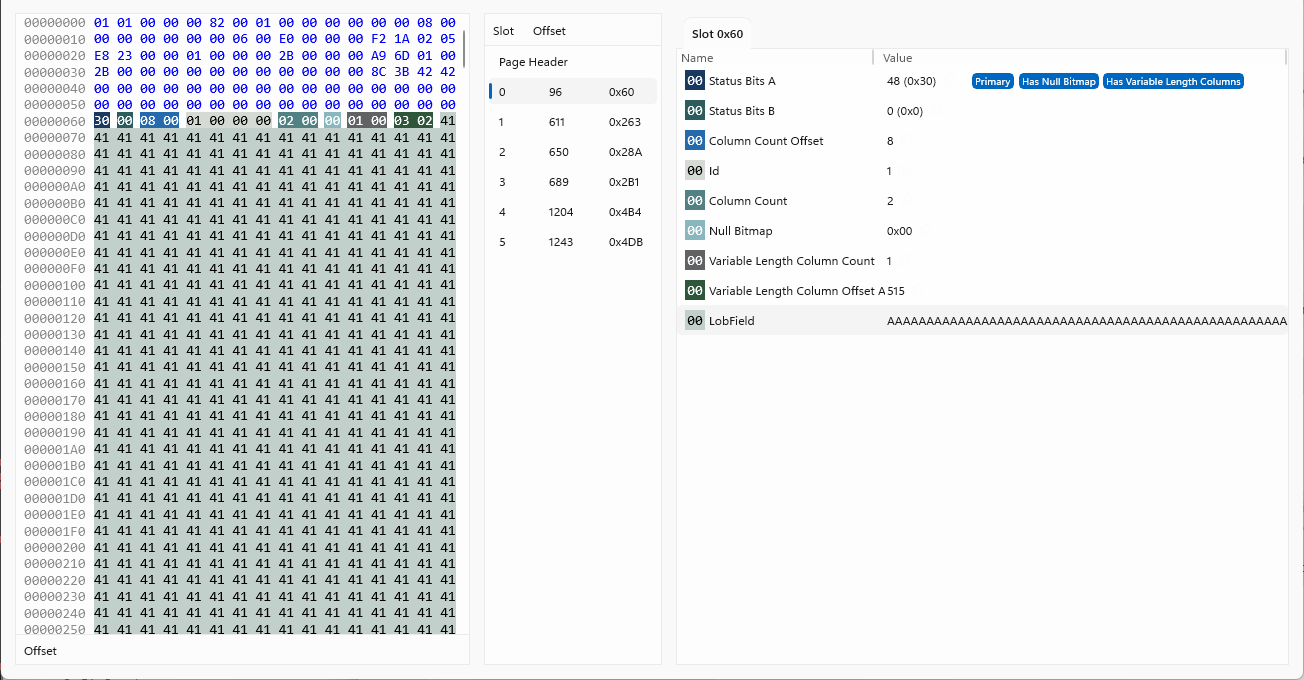
A MAX column behaves exactly like a normal VARCHAR while the value is 8,000 bytes or less and fits in the row.
Step 3 - Off page
Click the slot for the Id 2 row. The record is small even though the value is 8,020 bytes - LobField no longer contains the data, it contains a Blob Inline Root: a pointer structure with the value's length, a Pointer Type of LobRoot, and a RID giving the page and slot of the LOB record holding the value.
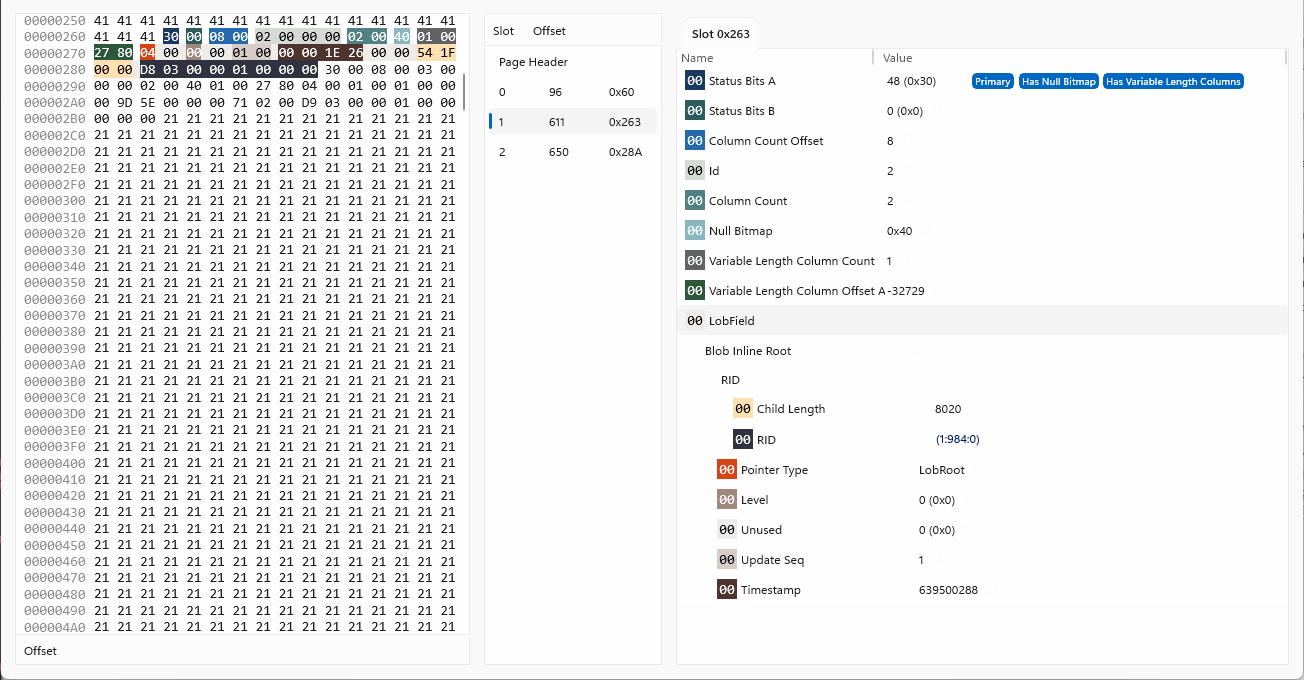
Click the RID to follow it:
- The page's
Page Typeis LOB (Text/Image) - Instead of data rows it holds a LOB record. The decode shows the fields of the LOB structure - the
Blob Idthat identifies the value, itsLength, aBlob Typeof Data, and theDataitself: 8,020 bytes of42(B)
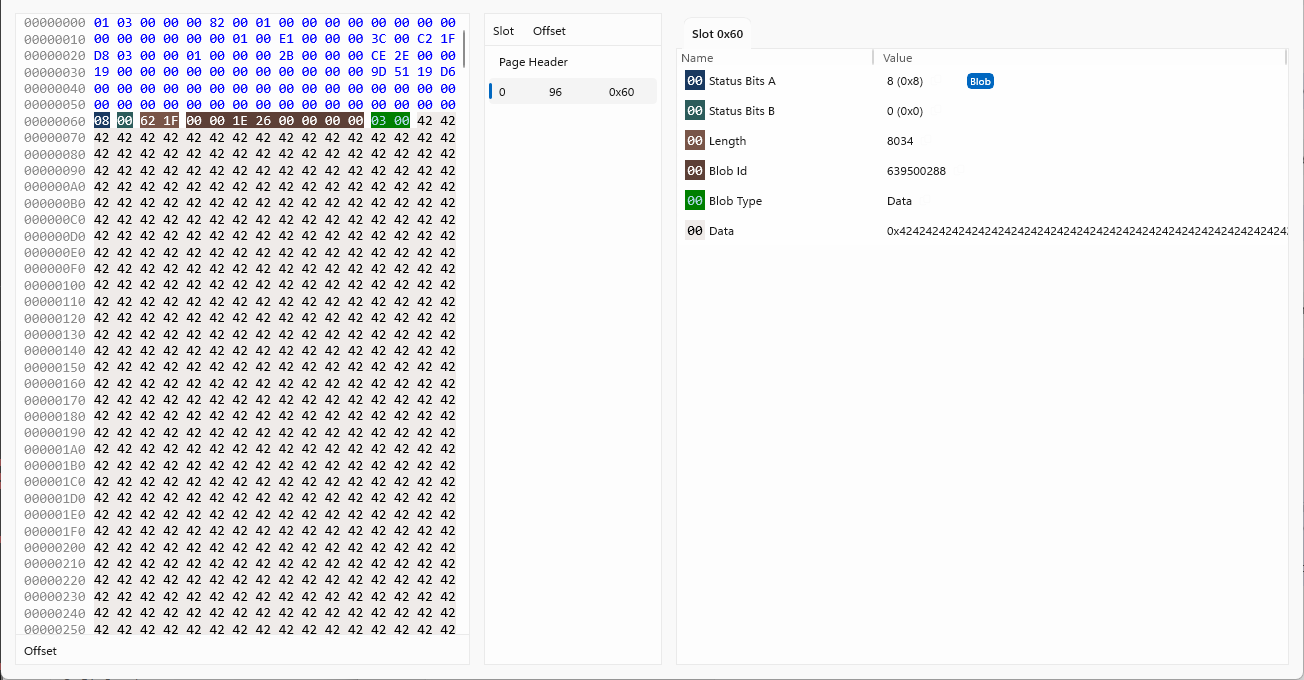
A value this size fits in a single LOB record, so the pointer leads straight to the whole value in one Data record.
Step 4 - Off page, split across pages
Click the slot for the Id 3 row. The 160,000 byte value doesn't fit on any single page - a LOB page holds around 8 KB of data like any other page - so the value is split into chunks and organised as a tree, the same shape as an index.
The in row pointer is the same Blob Inline Root structure, but its Level is now 1 - it points not at the value, but at the root of a tree:
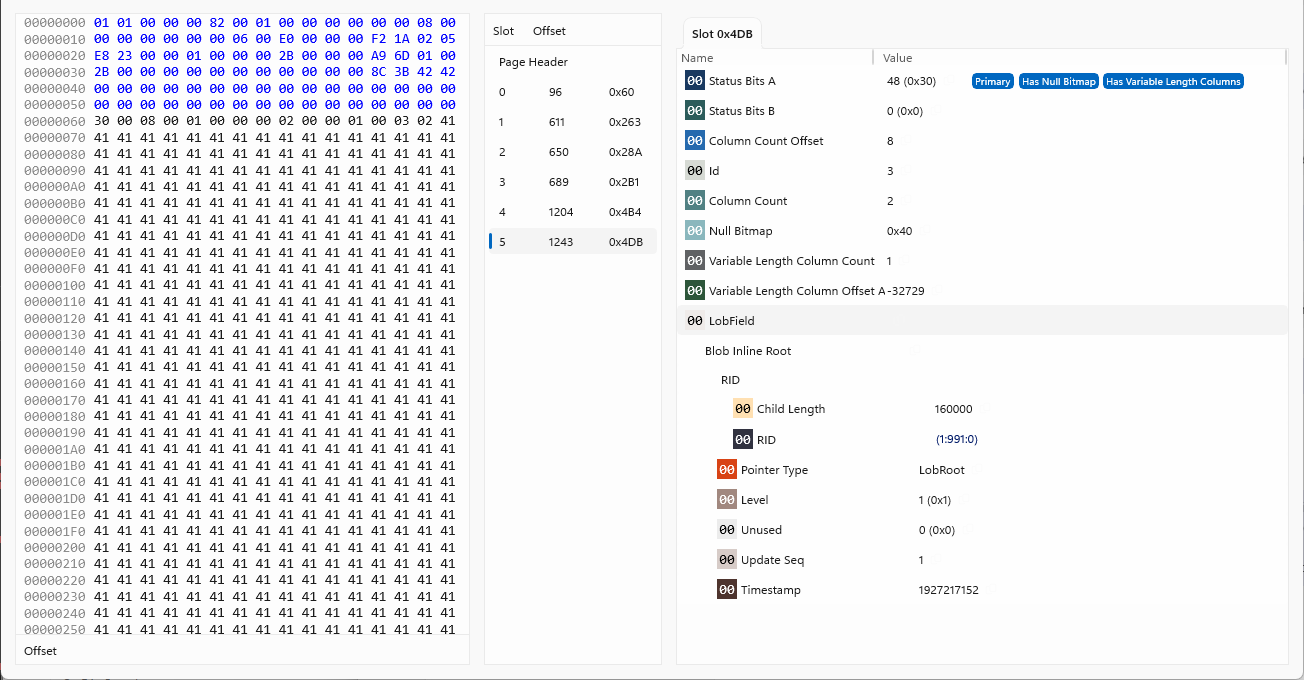
Follow the RID:
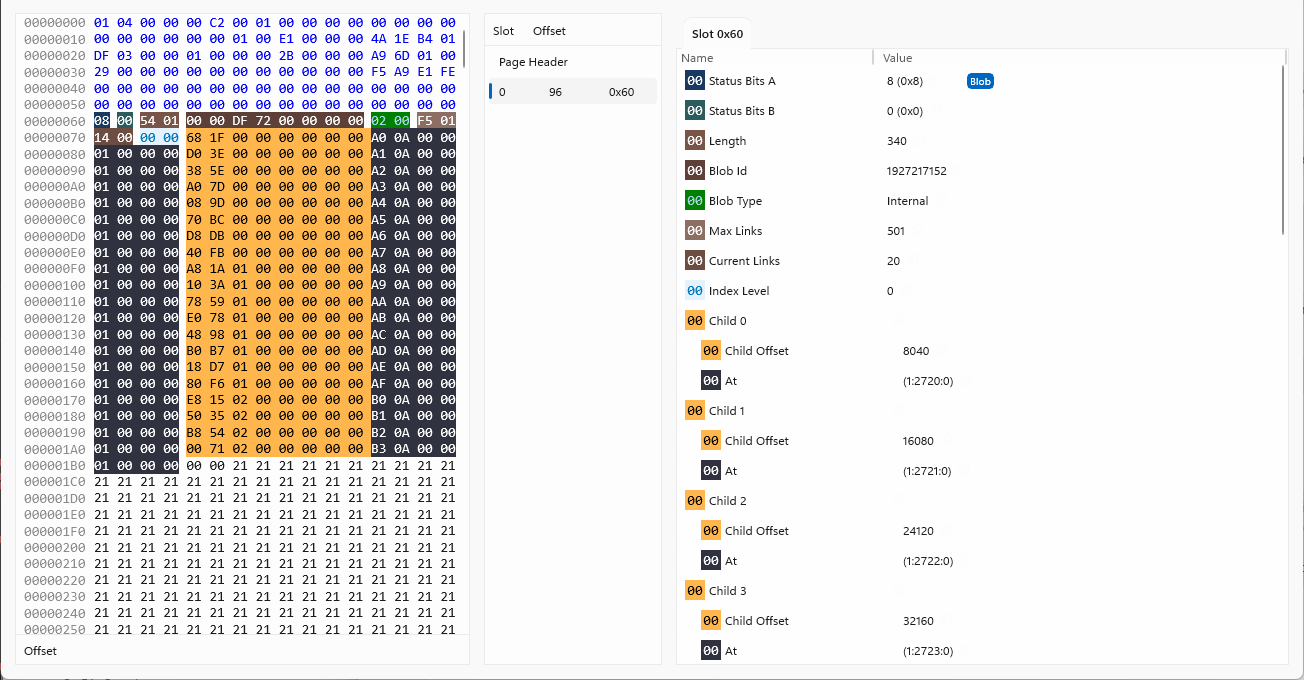
- The record at the root has a
Blob Typeof Internal - it holds no data at all, just links:Current Links20 in use of a possibleMax Links501, one per chunk of the value. - Each child link is a
Child Offsetand anAtpage address: which part of the value it covers, and where that chunk is. The offsets are cumulative - 8,040, 16,080, 24,120 etc. - so the storage engine can find any byte position in the 160,000 byte value by picking the right link, without reading the value from the start. - Follow an
Atlink and you reach aDatarecord - one chunk of the value, around 8 KB of43(C) bytes. The chunks sit on their own LOB pages, allocated from the table'sLOB_DATAallocation unit.
For even larger values, further levels of Internal records are added between the root and the Data records - a B-Tree for a single value.
The data row itself stays small in every case. That is the point of LOB storage: the 8 KB page limit applies to rows, not values, and the row just holds a pointer into as many LOB pages as the value needs.
See the LOB Pointers and LOB Records reference tables for the structures and their colour coding in the Page Viewer.
Summary
In this part we:
- Inserted three
VARCHAR(MAX)values sized to land in three different places - Saw a small value stored in the row like a normal
VARCHAR - Followed a LOB pointer to a single LOB page holding a whole value
- Walked a LOB tree - an Internal record linking to Data chunks across multiple pages
That's the end of the tutorial. From here, the Reference section covers the on-disk structures in more detail - and the best way to learn is to point Internals Viewer at a database and start exploring.