
Index View
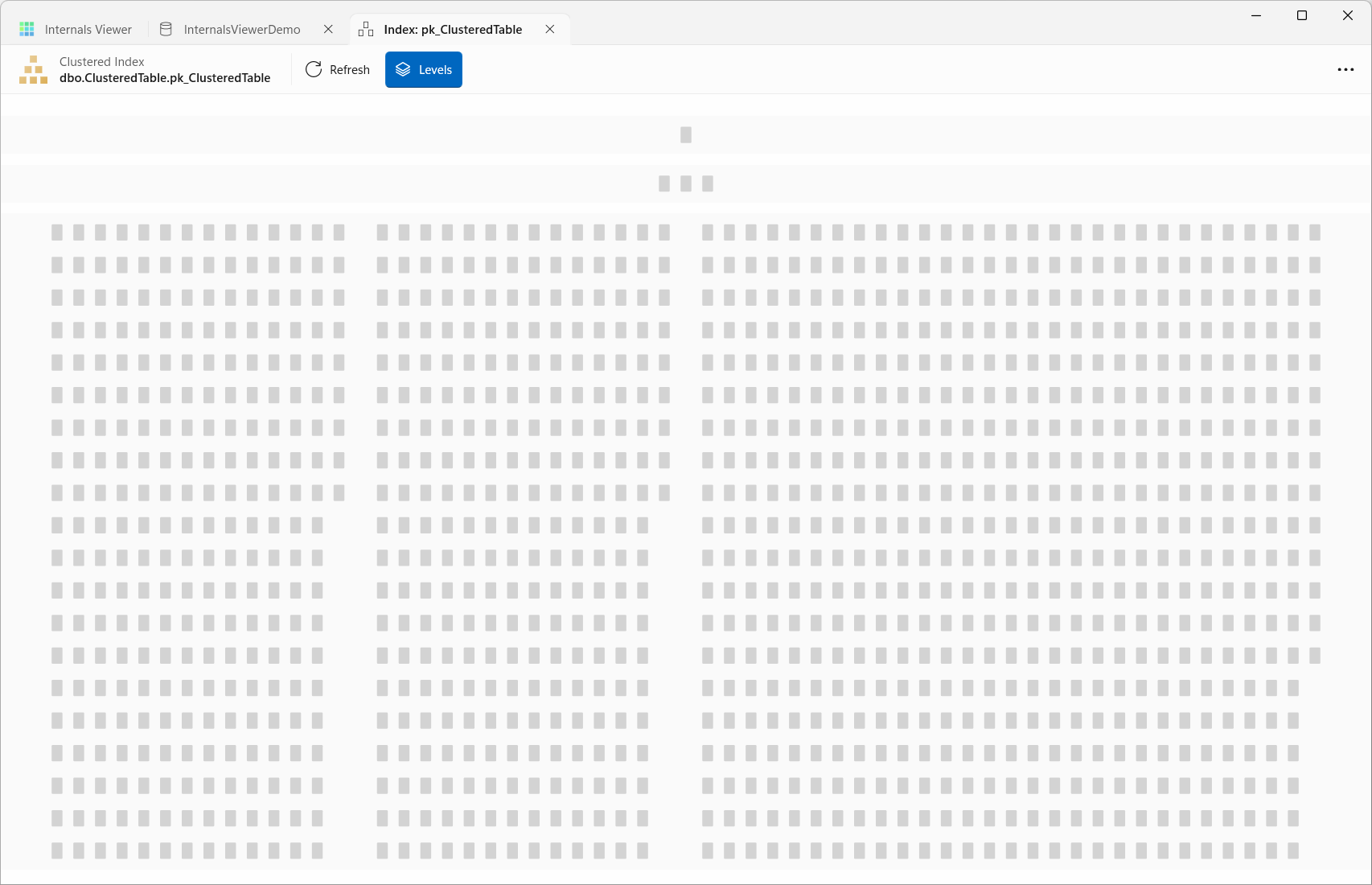
The Index View visualizes an entire index as a tree of pages - the root page at the top, connected level by level down to the leaf. It is the actual physical structure of the index, built by reading every page and following the down page pointers from the root.
Opening an index
- Click the View link in the Index column of the Allocation Info table
- Click the Index button in the Page Viewer toolbar when viewing a page that belongs to an index
- In the Query view, right-click an operator in the Execution Plan or the Timeline's Plan band and choose Open Index: with the index's name, or use Open all indexes on the Index menu - see During query replay
While the index loads, the view counts the pages read so far. The header bar shows the index type, such as Clustered Index, with an icon in the index's colour on the Allocation Map, and its name as schema.table.index. The command bar's overflow menu has its Object Id, Index Id, Allocation Unit Id and Partition Id.
Navigating
The view opens zoomed to fit the whole tree. Zoom in and out with the mouse wheel, and drag to pan around.
The level of detail adapts to the zoom. Zoomed out, pages are small blocks. Zoomed in, the links between pages appear, and zoomed right in, each page shows its own address and its Previous and Next page addresses.
Levels, on by default, shades a band behind each level of the tree - root, intermediate and leaf - and hovering over a band names it. Hovering over a page shows its address, its index level and its page type.
Clicking a page in the tree opens a details pane beside it:
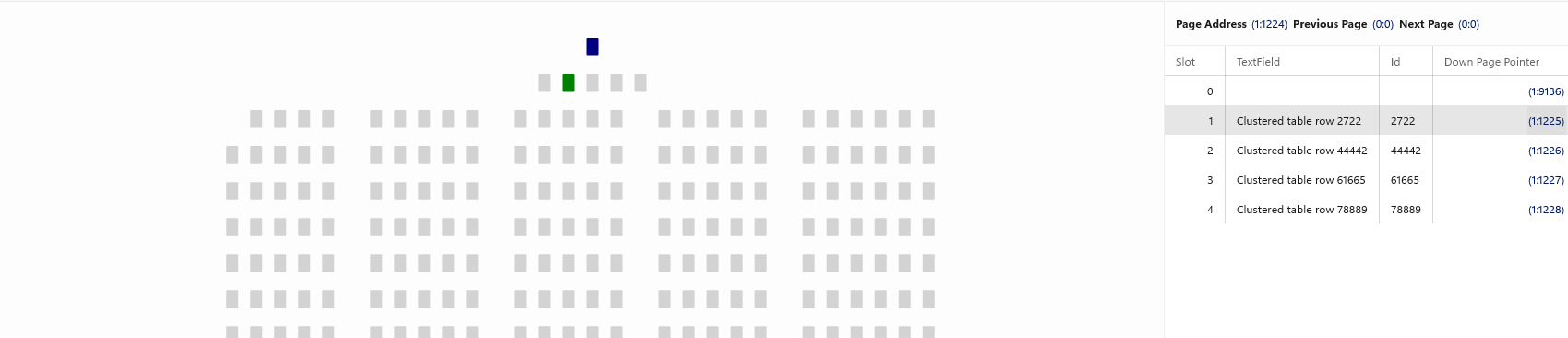
- Page Address, Previous Page, and Next Page - pages within each index level are doubly linked
- The decoded index records - the key values, and for pages above the leaf the Down Page Pointer to the page covering each key range
Clicking a page address or a down page pointer moves to that page within the Index View, so an index can be walked from root to leaf - the same path an index seek takes. Clicking empty space in the tree closes the details pane.
TIP
Shift + click a page in the tree, or the Page Address, Previous Page or Next Page link in the details pane, to open the page in the Page Viewer instead.
Hovering over a page address anywhere in the details panel - a Down Page Pointer, Previous Page, Next Page - highlights the matching page in the tree, making it easy to spot where a pointer leads before clicking it:
Refresh reads the index again.
During query replay
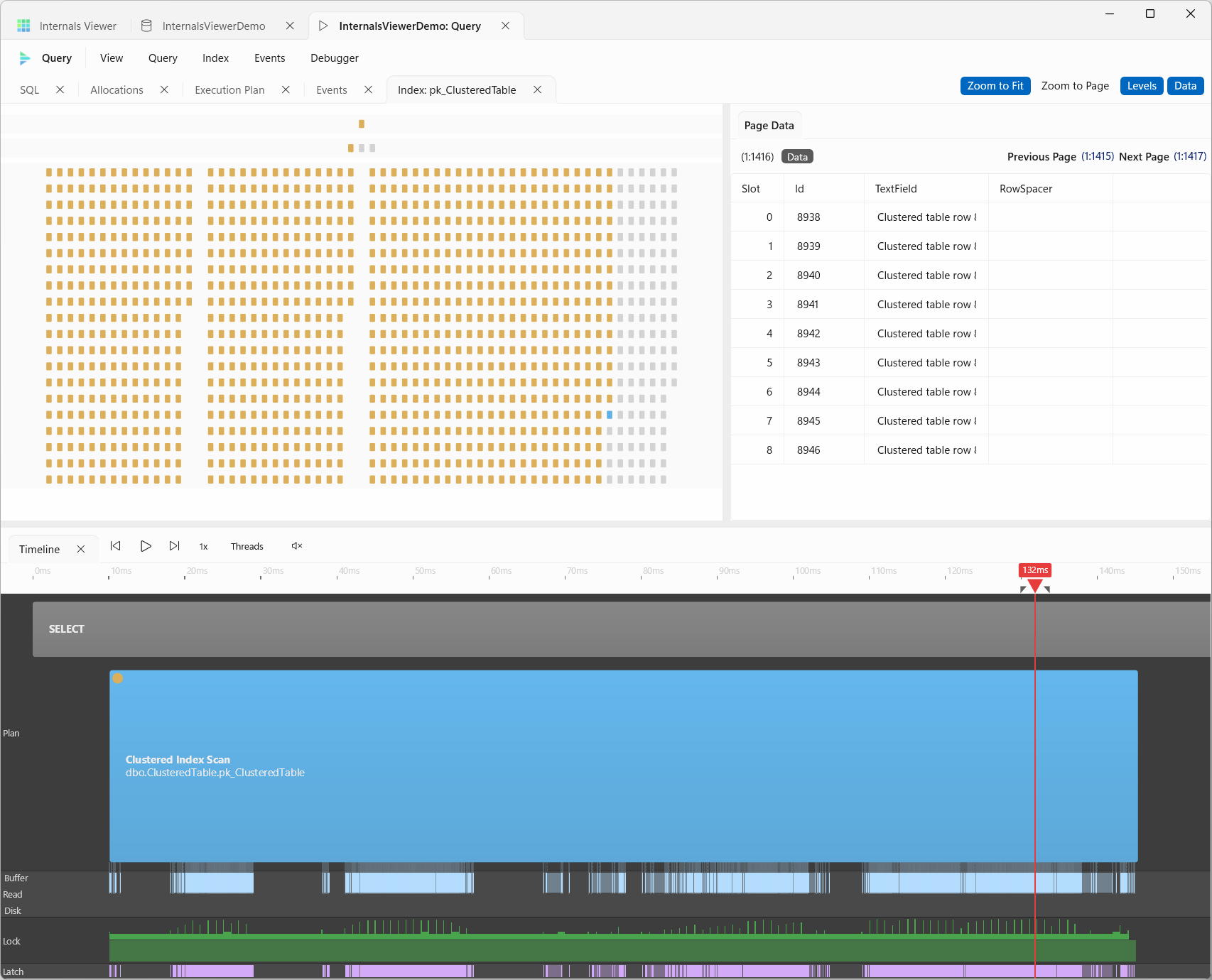
When opened from the Query view, the index opens as an Index: pane linked to the trace - as the replay runs, each page lights up at the moment the engine reads it, and the selected page follows the playhead. A scan sweeps across the leaf level in order, while a seek lights up a single root-to-leaf path.
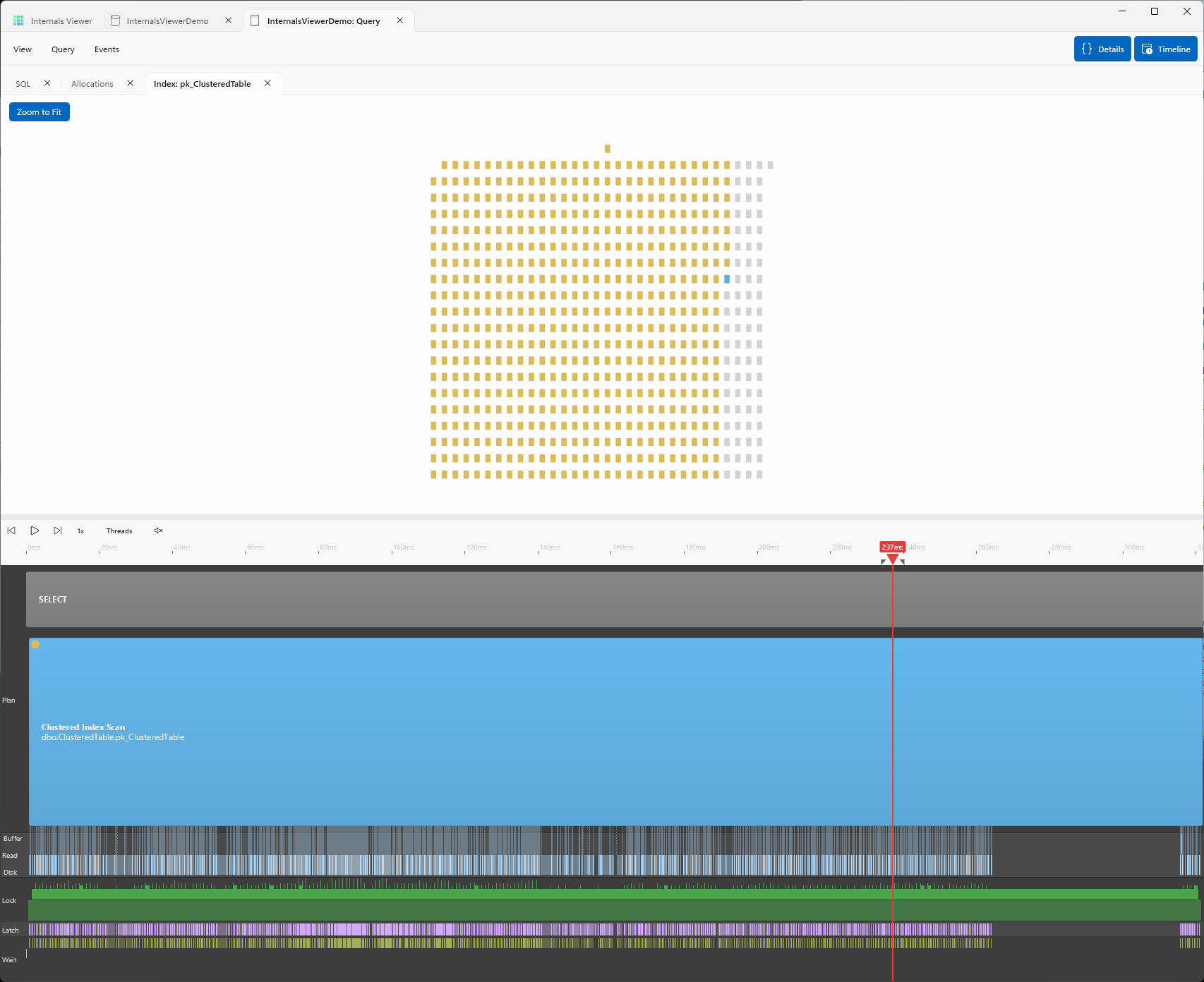
The Index pane inside the Query view has its own command bar:
- Zoom to Fit, on by default, keeps the whole tree in view, and Zoom to Page zooms in on the page being read, following it as the replay runs
- Levels overlays the index levels - root, intermediate and leaf
- Data opens a Page Data pane with the current page's address, whether it is an Index or a Data page, its Previous Page and Next Page links, and its records. Hovering over a link or a page address in the records highlights that page in the tree, clicking it loads it, and Shift + click opens it in a separate Page Viewer tab. While the playhead moves quickly the records fade until it settles
In this pane zooming is Ctrl + mouse wheel.
A columnstore index has no B-Tree to draw, so opening one from the Query view opens the Columnstore Viewer instead.
How this works
The tree is discovered with a breadth-first walk from the index's root page, decoding the index records on each page for their down page pointers - reading every page of the index exactly once.
See How the Index view works for the details.