
Page Viewer
The Page Viewer displays a single 8 KB database page, decoded. Each page opens in a tab named for its type and address, such as Data Page (1:704).
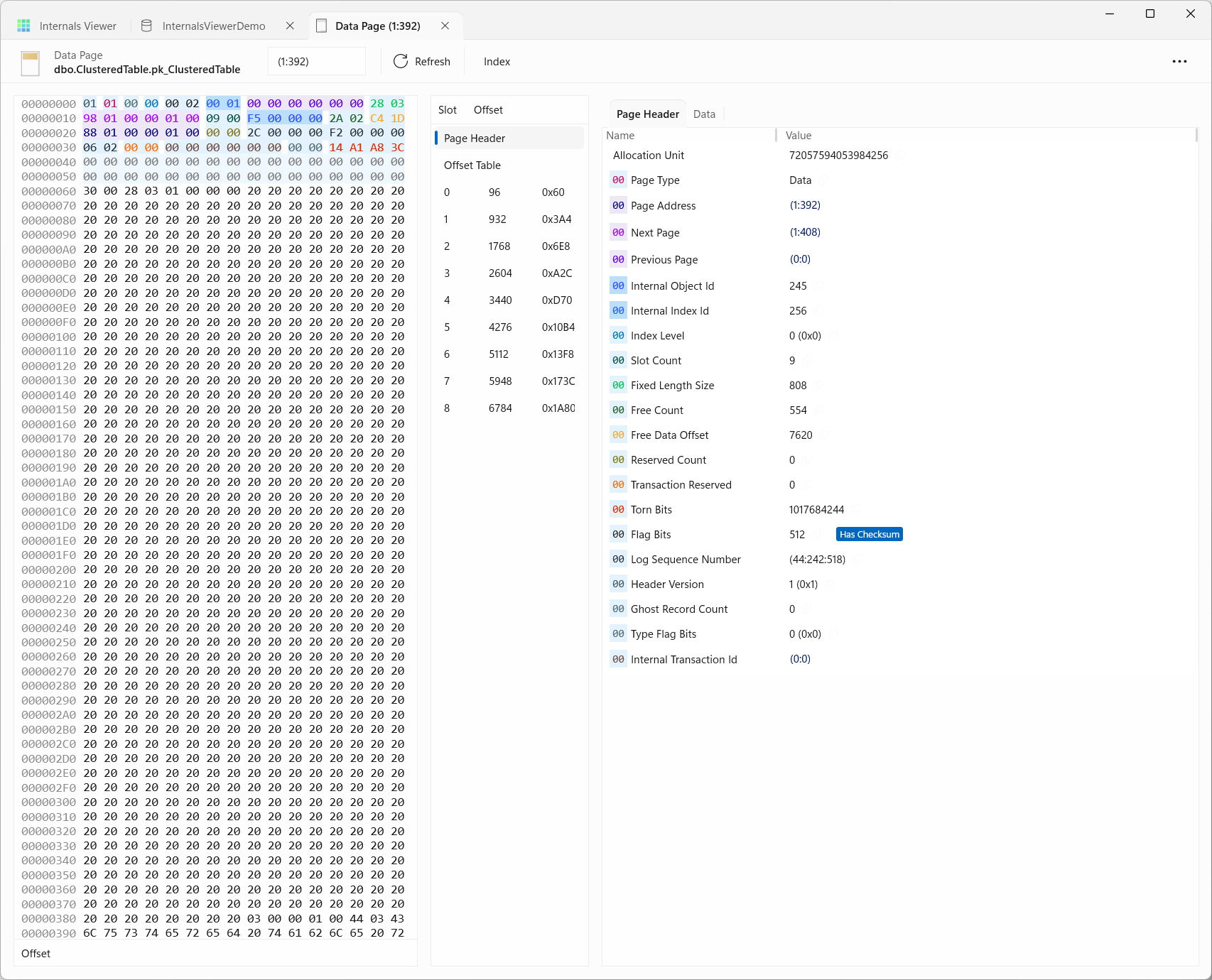
It has three parts:
- Raw data - the 8192 bytes of the page in hexadecimal, colour coded to show where each structure is
- Slots - the page's structures and records, each with its offset in decimal and hex
- Decoded information - the fields of the selected structure and their values
The slot list always starts with the Page Header, and adds the page's other structures where it has them - Compression Info on a compressed page, IAM Header on an IAM page, Boot Page on the boot page and File Header on a file's first page - then the Offset Table and a row for each record. Selecting the Offset Table marks each of its two-byte entries in the raw data, so the slot array at the end of the page can be read entry by entry.
When a page opens the Page Header is selected - or, when it was opened from a link to a record, that record. Clicking a slot decodes that record, and clicking a field in the decoded information highlights its bytes in the raw data. Clicking a selected slot again deselects it.
The header bar shows the page type, such as Data Page or IAM (Index Allocation Map) Page, with an icon in the colour of the object it belongs to on the Allocation Map, and the object's name as schema.table.index. The command bar's overflow menu has the object's Object Id, Index Id, Allocation Unit Id and Partition Id, each with a button to copy it.
Opening pages
Pages can be opened by:
- Clicking a page on the Allocation Map
- Clicking an entry point (Root Page / First Page / First IAM Page) in the Allocation Info table
- Clicking any page address link, formatted as
(File Id:Page Id), anywhere in the application - Typing an address into the page address box and pressing Enter -
(1:704)and1:704are both accepted
TIP
Page address links open in the same tab. Shift + click opens the page in a separate tab - useful for keeping the current page open while following a pointer.
Refresh re-reads the page from the database.
Finding the page for a row
To go from a row to its page, the (undocumented) %%physloc%% virtual column returns the row's physical location, and sys.fn_PhysLocFormatter formats it as (File Id:Page Id:Slot Id):
SELECT sys.fn_PhysLocFormatter(%%physloc%%) AS RowLocation
      ,*
FROM   dbo.HeapTable
Type the File Id and Page Id into the page address box to open the page, then pick the Slot Id from the slot list.
Navigating
Page addresses in the decoded information are links - Next Page and Previous Page in the header, down page pointers and RIDs in records, forwarding stubs, and an IAM page's single page slots - so a page chain or an index can be walked by clicking through.
The Index button opens the index the current page belongs to in the Index View, showing the page in the context of its B-Tree. It is available on data, index and LOB pages of an index - a heap has no tree to show.
TIP
Right-clicking the page address box gives some extra shortcuts:
- Copy DBCC PAGE command to clipboard - builds a ready-to-run
DBCC PAGEcommand for the current page, withDBCC TRACEON (3604)in front so the output comes back to the client, for comparing with what SQL Server itself reports. The submenu has each dump option - Option 0 - Header, Option 1 - Per-row hex dump, Option 2 - Hex dump and Option 3 - Per-row interpretation - Page + 1 / Page - 1 - step to the physically adjacent page in the file
Decoding data
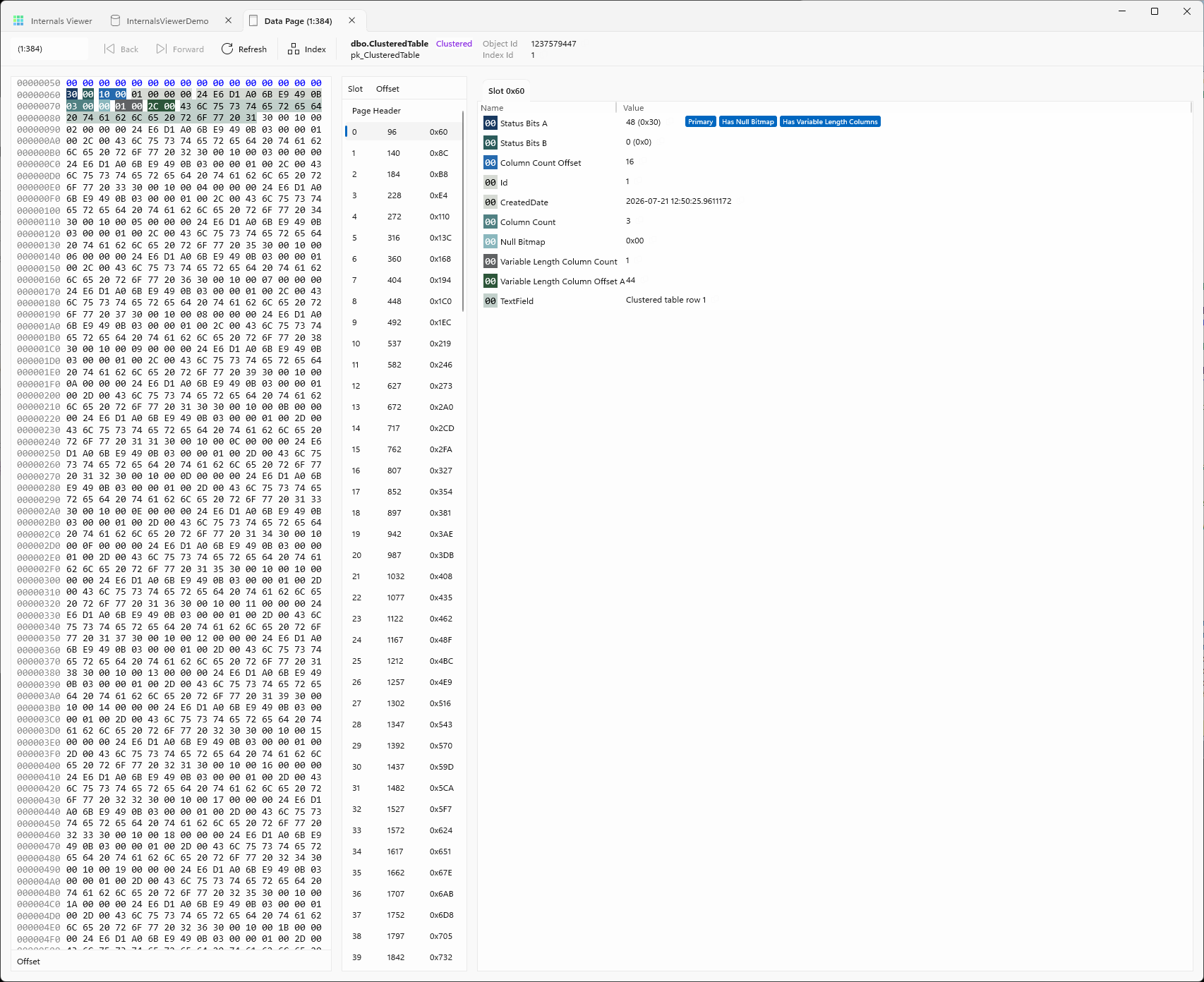
Selecting a field fades the rest of the raw data, so its bytes stand out, and scrolls to them. A click in the raw data, rather than a drag, clears the selection.
Selecting a range of bytes in the raw data shows a popup with the offset range and the bytes decoded as each data type they could be - TinyInt, SmallInt, Int or BigInt where the length fits, the bits, and VarChar - each with a copy button.
The status bar at the bottom shows the offset under the pointer and which structure it is in.
Values in the decoded information also have a copy button, and pointer values (page addresses and RIDs) are links.
See the Reference section for the structures the Page Viewer decodes - the Page Header, Data Records, Index Records, and Compression structures.
Data
Data and index pages have a Data tab beside the decoded information, with every record on the page as a row - its slot, then a column for each field. A non-leaf index page adds the Down Page Pointer, and a non-clustered index on a heap the RID. NULLs are shaded, and page addresses and RIDs are links, so it is the quickest way to read a whole page at once. Selecting a row selects its slot, and selecting a slot selects its row.
Boot and file header pages
The boot page, (1:9), and each file's header page, page 0, are decoded field by field. The boot page holds database-wide details such as the database name, its version, the last checkpoint LSN and its collation, and the file header the file's logical name, id, size and LSNs.
Allocation pages
Opening a PFS page adds a PFS tab alongside Page Header, rendering the PFS byte for every page the PFS page covers - up to 8088 pages (see PFS):
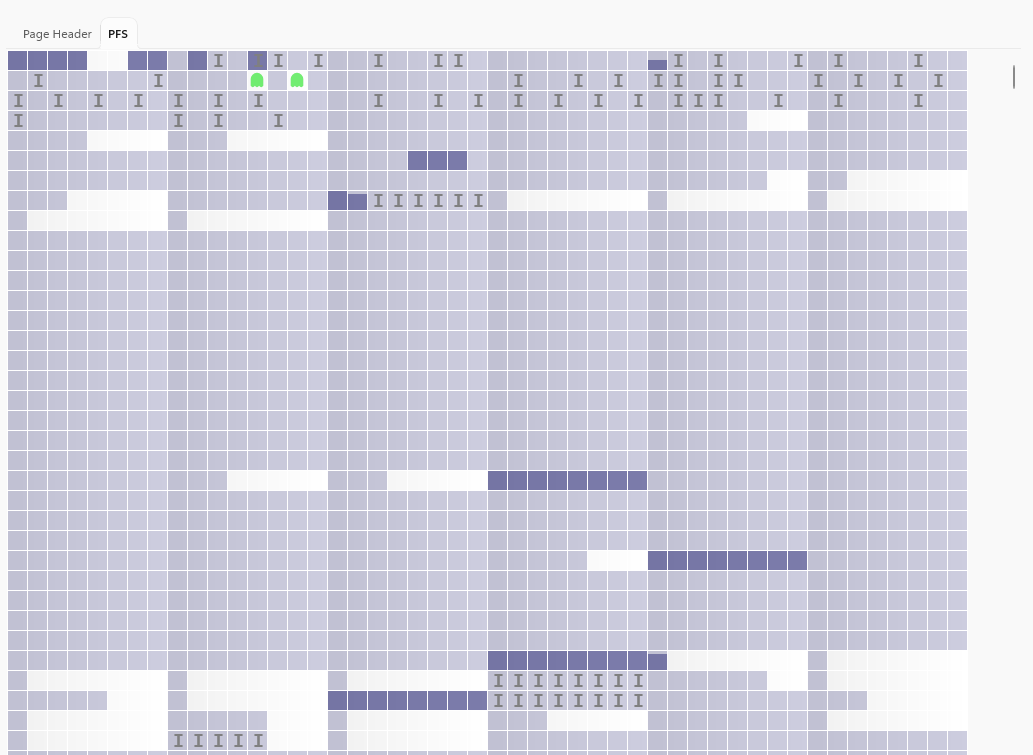
This is the same overlay used on the Allocation Map, scoped to just this PFS page's range - useful for confirming exactly which page a PFS byte belongs to. Click a page to highlight its PFS byte in the raw data, or Shift + click to open that page in a new tab.
Other allocation page types - IAM, GAM, SGAM, DCM, BCM - similarly add an Allocations tab that renders their bitmap. Click a page to open it in the same tab, or Shift + click for a new one. See Allocation pages in the tutorial for a walkthrough.
Log operations
When a page is opened from a traced data modification query, a Log Operations panel shows the transaction log records that changed the page, with the ability to apply and unapply them to see the page's history. See Log Records in the Query section.