
Scans vs seeks
The allocation map shows where pages are in the file. To see a query moving through the structure of an index, the timeline can open an Index view that lights up as pages are accessed. We'll use it to compare the two fundamental access patterns - a scan and a seek - on the same index.
Make sure Clear Buffer Pool and Disable Read-Ahead are on for both queries so every page access shows up as a physical read.
The scan
Execute a query that has to read the whole table:
SELECT *
FROM   dbo.ClusteredTable
The plan is a Clustered Index Scan. To watch it against the index structure:
- Find the
Clustered Index Scan dbo.ClusteredTable.PK_ClusteredTablebar in the Plan lane of the timeline - Right-click it and choose Open Index: PK_ClusteredTable - the Index view from Part 3 opens as a pane, linked to the trace
- Drag the playhead (the red cursor) slowly across the timeline
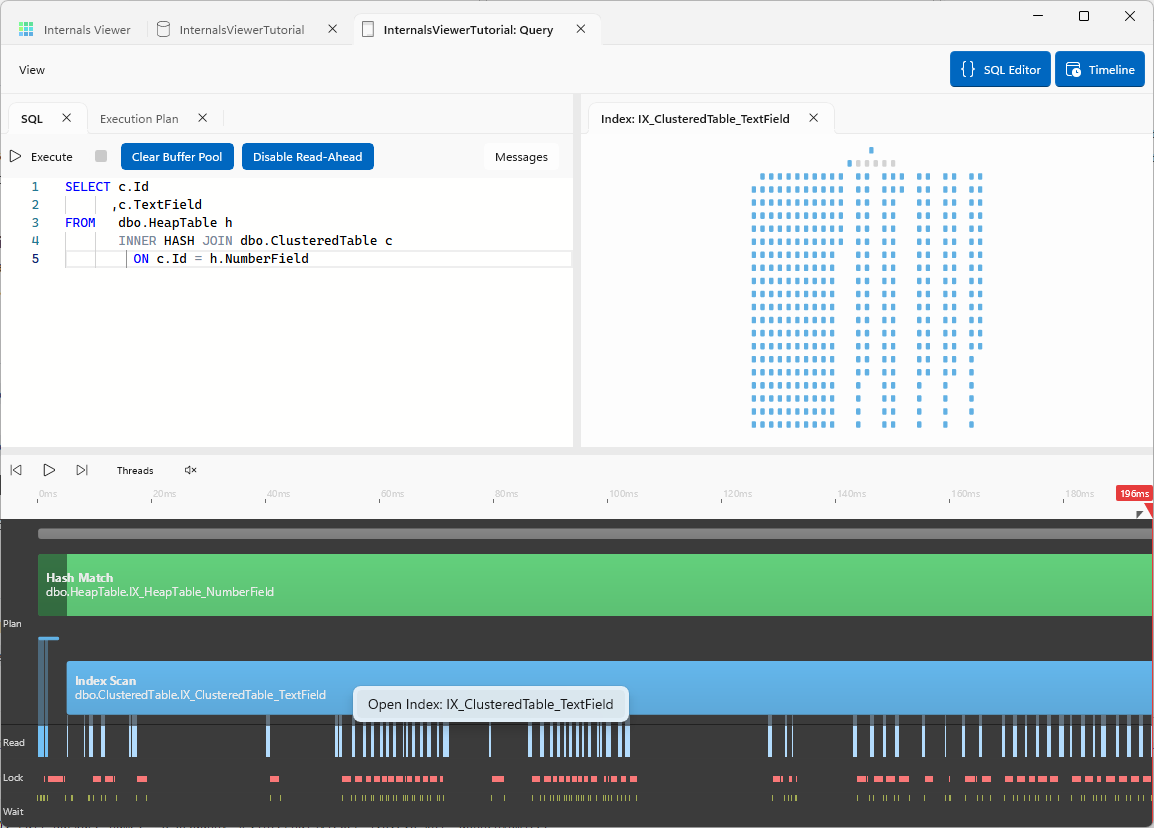
As the playhead moves, each page lights up at the moment the engine reads it. The scan sweeps through the leaf level page by page, left to right, in order - this is the linked list walk from Part 2 drawn live, Next Page after Next Page until the table is exhausted. Drag the playhead back and the pages replay in reverse, then drag forward again and the sweep continues. The Read lane below shows the same thing as a steady stream of physical reads for the whole duration of the query.
The seek
Now execute a query that can use the index to go straight to a row:
SELECT *
FROM   dbo.ClusteredTable
WHERE  Id = 54321
Id is the clustering key, so the plan is a Clustered Index Seek on the same index. Repeat the steps: right-click the Clustered Index Seek bar in the Plan lane, open the index, and drag the playhead across the timeline.
This time there is no sweep. Only a thin path lights up - the root page, an intermediate page, and the single leaf page containing Id 54321. Three pages out of hundreds, and the query is over almost as soon as it starts.
INFO
More pages can light up than the seek itself needs - SQL Server loads whole extents at a time, so neighbouring pages arrive with the ones the seek asked for. See Reads per extent in the user guide.
Scan vs seek
Scrubbing the playhead back and forward over the two traces shows the contrast:
| Scan | Seek | |
|---|---|---|
| Pages read | Every leaf page - hundreds | Root → intermediate → one leaf page |
| Pattern on the Index view | A sweep across the whole leaf level | A single root-to-leaf path |
| Read lane | A steady stream for the whole query | A handful of ticks at the start |
| How pages are found | Following Next Page links | Following down page pointers |
The work is proportional to the table for a scan, but to the depth of the B-Tree for a seek - which is why a seek finds one row in a million-row table in three or four reads. Both queries return rows from the same pages of the same index. The difference is purely the path taken to get there.
Next: Lookups