
Allocations
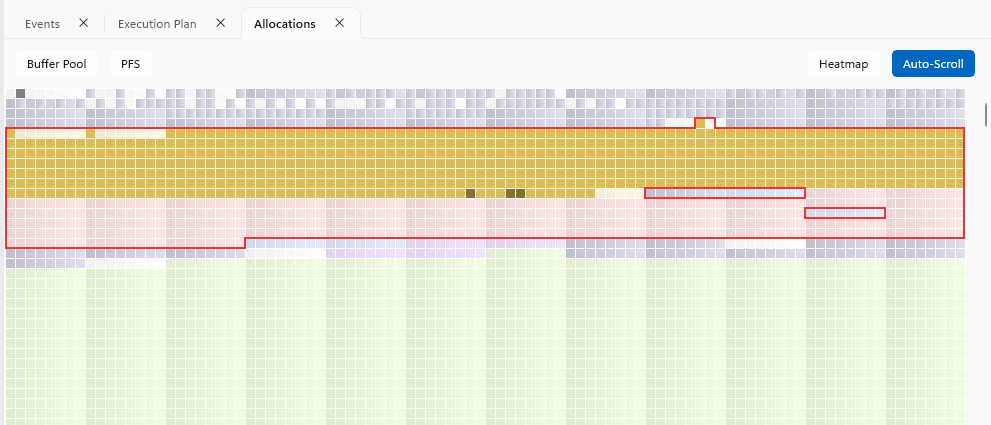
The Query view's Allocations pane is the same Allocation Map as the Database view, scoped to the pages the query touches and linked to the Timeline - as the replay runs, pages light up as they are read.
Command bar
- Buffer Pool / PFS - overlay the page's buffer pool or PFS status on the map, same as the Database view overlays
- Heatmap - shades pages by the intensity of repeated reads, mostly useful for spotting pages hit repeatedly from the buffer pool
- Auto-Scroll - scrolls the map to follow the page location of the current event as the timeline plays
WARNING
Auto-Scroll can cause rapid flickering as the view jumps between distant pages - turn it off if you're photosensitive.
Lock borders
When locks are captured, a border is drawn around each locked page showing its lock status at the playhead's current time. The border colour matches the lock's category colour - see Locks.
Intent lock modes are dimmed, same as on the Lock band. If a page has more than one lock type held on it, the most exclusive type is shown.